
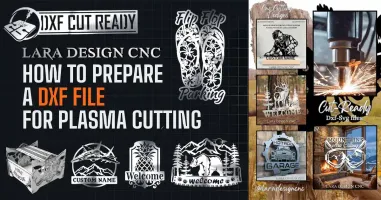
How to Prepare a DXF File for Plasma Cutting (Step by Step)
Learn how to prepare a DXF file for plasma cutting: check scale, close paths, set lead-ins and avoid common errors. Beginner-friendly guide.
Preparing Your DXF File for Precision
What is a DXF file, and why does plasma cutting need it?
A DXF (Drawing Exchange Format) file is a vector drawing made of lines, arcs and curves instead of pixels. Your CNC plasma table follows those lines as a toolpath, so a clean DXF means a clean cut. A messy one means wasted steel, wasted consumables and wasted time.
If you are new to CNC, don't worry. Preparing a file takes about ten minutes once you know what to check.
Step 1: Check the scale and units
The most common beginner mistake is a design that imports at the wrong size. Open the DXF in your CAD or CAM software and measure one dimension. If a sign should be 24 inches wide and it shows 0.94, the file is in the wrong units (inches versus millimeters). Rescale before you do anything else.
Step 2: Make sure every path is closed
Plasma cutters need closed shapes so the torch can start and finish a cut properly. Zoom in on corners and joints, and use your software's join or close-path tool to fix tiny gaps.
Step 3: Remove duplicate lines and stray objects
Duplicate lines make the torch cut the same path twice, which damages the edge and burns consumables. Run an "overkill" or "remove duplicates" command and delete any hidden objects outside the design.
Step 4: Add lead-ins and lead-outs
The torch pierces the metal before it cuts. A lead-in starts the pierce inside the scrap area so the pierce mark doesn't ruin your finished edge. Most CAM programs add these automatically; check the settings.
Step 5: Plan for your material and kerf
Thickness, amperage and cut speed all matter. Kerf (the width of metal the plasma arc removes) is small, but on tight details and interlocking parts it makes a difference. Always do a small test cut before a full sheet.
Inline image: file dxf-clean-cut-edge.jpg, alt text: "Close-up of a clean plasma-cut edge on a steel sign"
Skip the prep: use files that are ready to cut
If you would rather spend your time cutting than fixing files, browse our ready-to-cut DXF and SVG files or grab a few free CNC files to test your setup first.
FAQ
Can I use a DXF file on any plasma table? Most CNC plasma software accepts DXF. Import it into your CAM program, set your material and cut chart, and generate the toolpath.
What is the best file format for plasma cutting? DXF is the most widely supported. Read our guide to DXF vs SVG if you are unsure.